Why In-Browser Video Compression Saves Gigabytes of Data
How client-side video processing eliminates mobile data usage and upload bottlenecks by encoding video locally on your device.
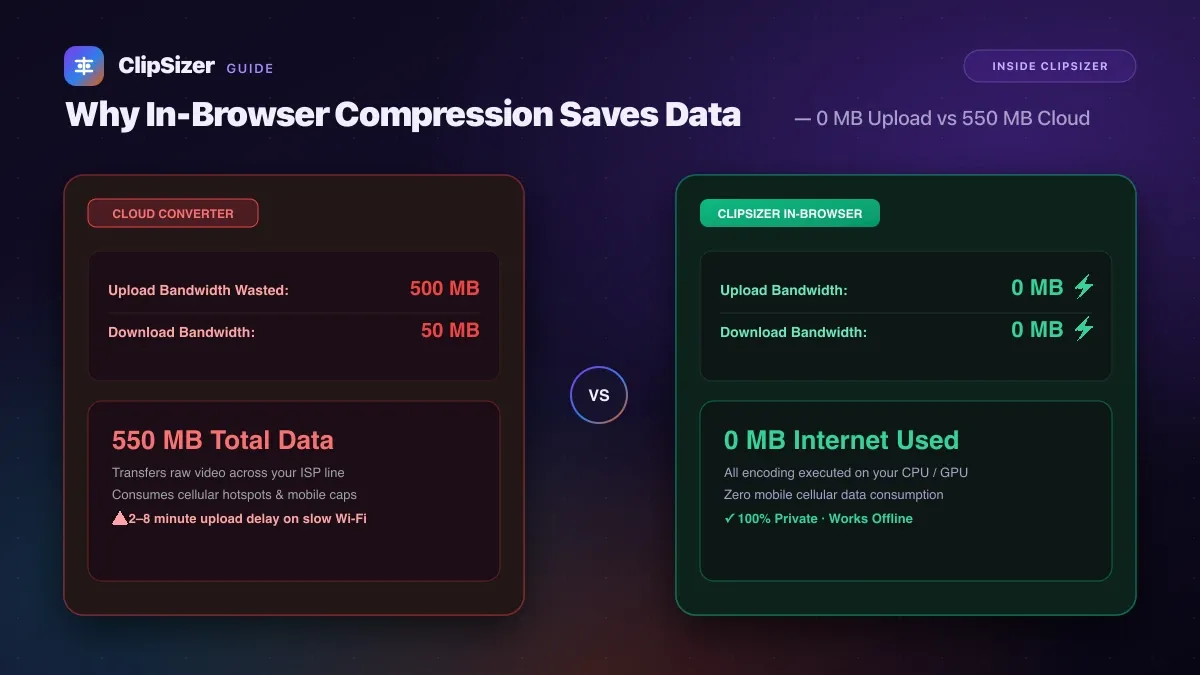
In-browser video compression uses zero megabytes of upload and download bandwidth because all transcoding and frame processing take place entirely on your device’s local processor.
If you are on a metered mobile hotspot, satellite internet, or slow Wi-Fi, this architectural difference saves gigabytes of data transfers per month and cuts wait times from several minutes down to seconds.
The bandwidth cost of traditional cloud converters
Traditional online video converters are hosted on remote cloud server farms. When you use a traditional converter:
- You must upload your entire uncompressed video file (often 500 MB to 2 GB for 4K phone recordings) across your home or mobile internet connection.
- The server processes the clip in a remote queue.
- You must download the compressed 50 MB result back to your computer.
For a single 500 MB video, you consume 550 MB of total network bandwidth, even if you only needed to trim 10 seconds of dead air.
| Metric | Traditional Cloud Converter | ClipSizer In-Browser Engine |
|---|---|---|
| Upload bandwidth | 500 MB (100% of raw video) | 0 MB (zero data sent) |
| Download bandwidth | 50 MB (re-download result) | 0 MB (direct from memory) |
| Total network data used | 550 MB | 0 MB (works offline after load) |
| Network upload bottleneck | 2–8 minutes on home broadband | Instant (no upload stage) |
| Privacy guarantee | Files stored on remote servers | 100% private (never leaves device) |
Why in-browser processing is the future of media tools
Modern personal computers, laptops, and smartphones have multi-core CPUs and dedicated hardware video encoders (Apple Silicon Media Engine, Intel Quick Sync, and Nvidia NVENC) that are more than capable of encoding 720p and 1080p video in near real time.
By utilizing WebAssembly and client-side web standards, ClipSizer transforms your local machine into a private video workstation:
- Zero upload delays: Processing begins the instant you select your file.
- Zero data caps: Compress dozens of video files without worrying about hitting ISP monthly data limits.
- Full offline resilience: Disconnecting from Wi-Fi will not interrupt or abort your export.