How In-Browser GIF Generation Works Without Watermarks
How ClipSizer converts video clips into high-quality animated GIFs directly in your browser using local color quantization and zero watermarks.
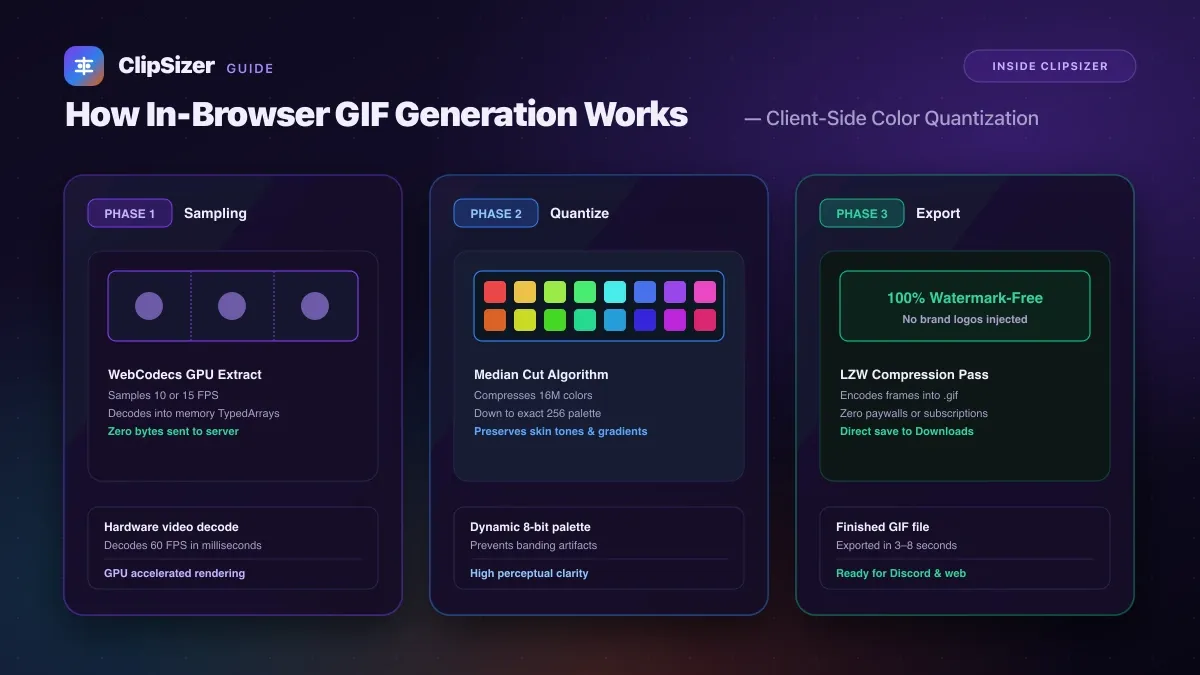
ClipSizer converts video clips into animated GIFs directly inside your browser using client-side WebAssembly, frame sampling, and color quantization algorithms, without adding watermarks, restricting quality behind paywalls, or uploading frames to any server.
Most free online GIF makers superimpose a prominent brand watermark or limit output resolution to 240p unless you buy a premium subscription. By processing frames locally on your computer’s CPU, ClipSizer generates clean, high-framerate GIFs at zero operational server cost.
The technical GIF generation pipeline
Converting high-color 24-bit video (which displays millions of colors) into the legacy 8-bit GIF format (which supports at most 256 colors per frame) requires three distinct mathematical phases:
1. WebCodecs frame extraction
When you choose a video segment up to 15 seconds long, the browser uses hardware-accelerated video decoding to extract raw RGBA pixel buffers at 10 or 15 frames per second. Because frames are decoded locally into TypedArrays, no network data is transmitted.
2. Palette generation and color quantization
The GIF format cannot store 16 million colors; each frame must index into a palette of at most 256 colors.
To prevent banding, ClipSizer runs an optimized color quantization pass (such as Median Cut or NeuQuant) over the sampled frames. This clusters similar colors together and calculates an optimal 256-color palette that preserves smooth gradients in skin tones, shadows, and backgrounds.
3. LZW compression and frame assembly
Once pixels are mapped to palette indexes, an in-memory LZW (Lempel–Ziv–Welch) encoder compresses the raster data into standard animated GIF blocks with exact frame delays.
The finished .gif binary is packaged into a Blob URL and downloaded directly to your disk, completing the entire process in just 3 to 8 seconds on modern hardware.