Discord Video Upload Limits by Tier in 2026
Official file size limits, max resolutions, and supported formats across Discord Free, Nitro Basic, and Nitro in 2026.
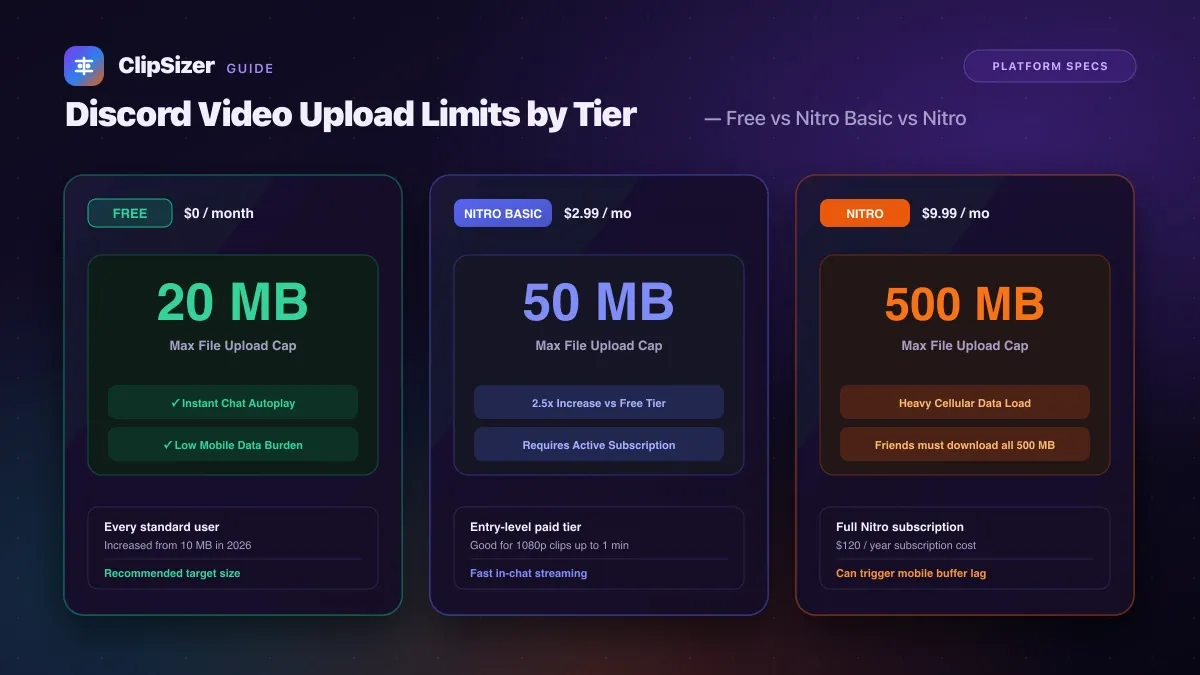
On Discord in 2026, the maximum file attachment size depends strictly on your subscription tier: Free accounts are capped at 20 megabytes, Nitro Basic ($2.99/mo) allows up to 50 megabytes, and full Nitro ($9.99/mo) unlocks uploads up to 500 megabytes.
While Discord raised its free limit from 10 MB to 20 MB in late 2026, high-bitrate clips, screen recordings, and phone videos easily cross the 20 MB line within 15 to 30 seconds of recording.
Discord upload limits compared across tiers
Here is the complete breakdown of Discord’s upload capabilities based on official documentation:
| Plan Tier | Maximum File Size | Monthly Cost | Direct Video Embeds | Video Autoplay |
|---|---|---|---|---|
| Free Discord | 20 MB | Free | Yes (under 20 MB) | Instant inline playback |
| Nitro Basic | 50 MB | $2.99 / mo | Yes (under 50 MB) | Instant inline playback |
| Discord Nitro | 500 MB | $9.99 / mo | Yes (under 500 MB) | Slower mobile load |
| Server Boost Level 2 | 50 MB | Server boosted | For all members in server | Instant inline playback |
| Server Boost Level 3 | 100 MB | Server boosted | For all members in server | Slower mobile load |
Supported containers and video codecs
Discord supports direct inline playback for standard video formats across desktop and mobile clients:
- Containers:
.mp4,.webm, and.mov. - Recommended Codec: H.264 video with AAC audio inside an MP4 container.
- HEVC / H.265 Note: While some Apple devices capture in HEVC, Discord desktop clients on Windows and Linux often fail to embed HEVC natively, displaying a black download tile instead of a playable video. Stick with standard H.264 for guaranteed playback.
Why staying under 20 MB is better for channel members
Even if you pay for Nitro and upload a 350 MB recording, every member in your voice channel or server must download all 350 MB to watch it.
On mobile connections or cellular data plans, large video files buffer heavily and consume friends’ monthly data allowances. Compressing your gameplay highlight or reaction clip to 15 MB – 18 MB ensures instantaneous autoplay for every user in the chat without anyone waiting on a download bar.
Sources
- Discord Support: File Attachments FAQ — checked 10 Nov 2026